
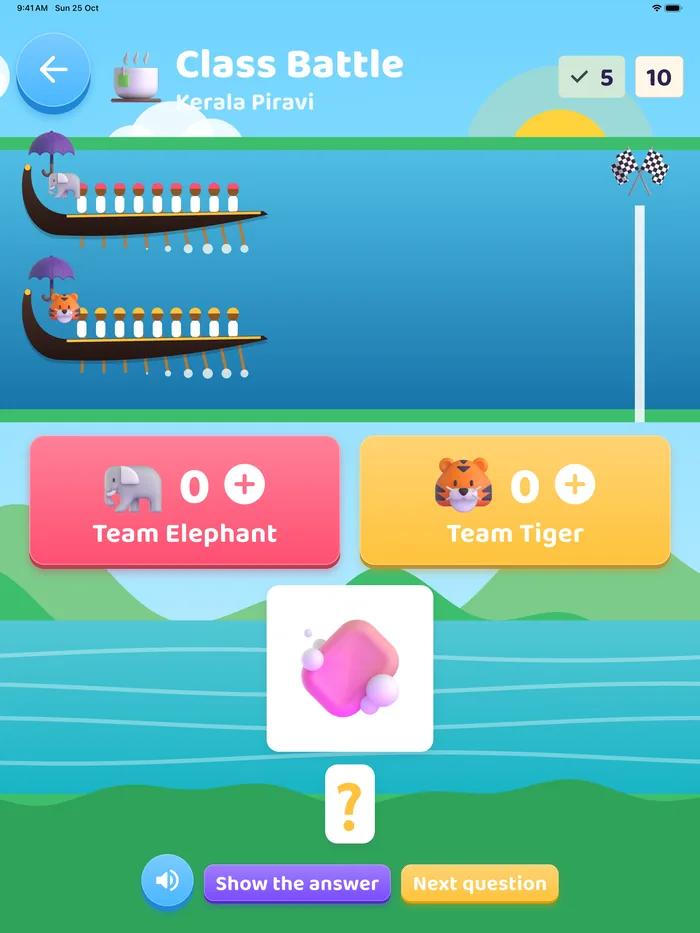
Class Battle
Split the class into two teams. Each question shows a picture or a word on the big screen; the team that answers moves its snake boat forward. Show the answer when you are ready, then move to the next question. It turns revision into a race the whole room joins.
Flashcards and slideshow
Every letter and sound has a full-screen card with its name, its sound, a picture word and how to say it. Play them one by one, or start the slideshow and let it run.
Any lesson in one tap
The lesson library opens any of the 48 lessons directly, so you can introduce a new sound or revise an old one without playing through the map. In teacher mode the lesson waits for you: you decide when to move on.
Show it on a TV or projector
- iPhone and iPad: open Control Centre and choose Screen Mirroring (AirPlay).
- Android: use Cast, Smart View or Screen Cast from the quick settings.
- A cable to the projector works too.
Every screen adapts to wide TV and projector sizes.
Malayalam or English
Choose Naina Teacher for explanations in Malayalam, or Arun Sir for English only. The whole app can be shown in Malayalam or English, separately from the teacher's voice.
The teacher tools are behind a grown-up gate
The Teacher Corner asks a simple multiplication question first, so children playing on their own don't wander into it. Class Battle is part of Premium.